Typical Terraform workflow
The workflow is a repeatable loop: initialize the project, preview the changes, apply the approved plan, and inspect the result.
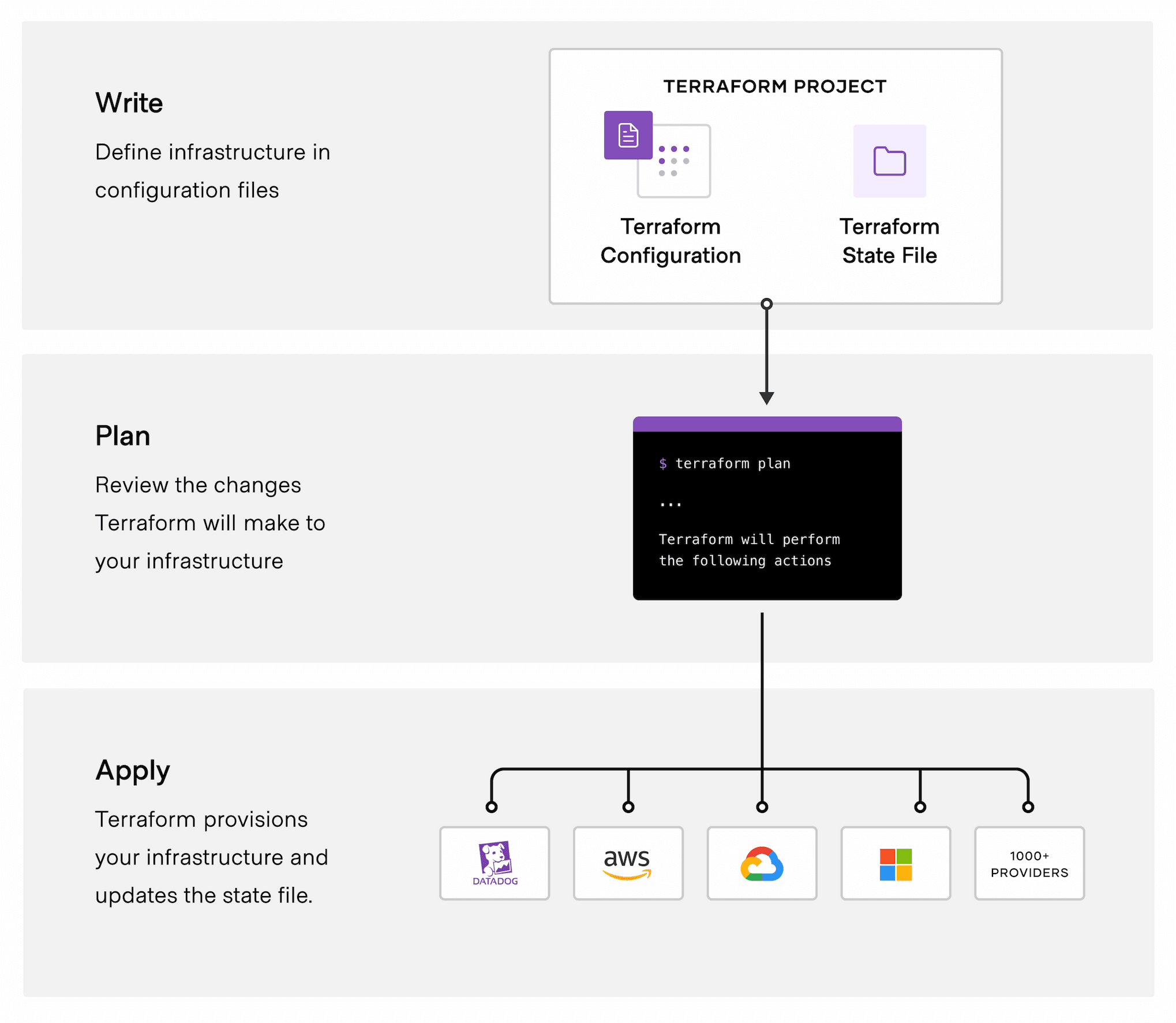
The workflow in detail
The following steps are executed in a typical Terraform workflow:
terraform init(to initialize the working directory)- Initializes the backend
(optional, where state is stored (local, remote, …) and how it is accessed (credentials, …)) - Downloads and installs provider plugins
- Downloads submodules (optional)
- Initializes the backend
terraform plan(also performed byterraform apply, or saved as a plan file)- Locks current state
- Downloads current state into memory
- Refreshes state in memory
- Plans and outputs changes
terraform apply- Applies changes, if any
- Updates state, if necessary
- Unlocks current state
terraform output(afterterraform apply)- Retrieves the outputs of the root module
Terraform CLI reference
Debugging commands
terraform state list
The command can list the resources being managed by the current working directory and workspace, providing a complete or filtered list.
terraform state show
The command can print all of the attributes of a given resource being managed by the current working directory and workspace, including generated read-only attributes like the unique ID assigned by the cloud provider.
Working with state
The state commands and declarative state blocks below are advanced reference material. Prefer import {}, moved {}, and removed {} blocks when a state change is part of normal configuration evolution.
terraform import
Use config-driven import {} blocks so imports are reviewable and can be applied as part of normal plans and applies.
Replace a resource
Use terraform apply -replace=aws_s3_bucket.example when a resource should be replaced during the next apply.
terraform state mv
Use moved {} blocks for reviewed resource-address refactors.
terraform state rm
Use removed {} blocks when a resource should stop being managed without destroying the real object.
Useful commands
terraform show: Render a human-readable or machine-readable representation of a state or plan file.
terraform console: Evaluate Terraform expressions interactively.
terraform fmt: Format Terraform configuration files.
terraform validate: Validate configuration syntax, arguments, and types before planning or applying.