Core Components
What is Terraform?
HashiCorp Terraform is an infrastructure as code tool that lets you define both cloud and on-prem resources in human-readable configuration files that you can version, reuse, and share.
Infrastructure has its own lifecycle: resources are provisioned, configured, operated, monitored, changed, and eventually decommissioned. Terraform can support these stages by describing and managing the desired infrastructure state.
Terraform can manage low-level components like compute, storage, and networking resources, as well as high-level components like DNS entries and SaaS features.
Terraform is declarative, which means you describe the desired infrastructure state instead of prescribing each action. An imperative approach would specify the individual actions and their order, for example: create a network, then create a server in that network, then attach a disk. Terraform compares the desired state with the real infrastructure and calculates the actions needed to reach it. It updates resources in place when the provider supports that change and replaces resources when the platform requires replacement.
Terraform and OpenTofu in 2026
- Terraform 1.5.x and earlier remain under MPL 2.0, but Terraform 1.6 and later use BUSL-1.1. For customer environments, especially regulated or procurement-heavy ones, that licensing change is worth reviewing explicitly before standardizing on the toolchain.
- OpenTofu is an MPL-2.0 fork under Linux Foundation stewardship and is designed as a near drop-in replacement for many Terraform beginner and intermediate workflows.
- HashiCorp is now part of IBM, so Terraform should be evaluated as an IBM product when discussing vendor posture, support, and procurement.
- In practice, teams should decide early whether they want HashiCorp Terraform plus HCP Terraform, or an OpenTofu-based workflow, and then keep examples, CI, and policy tooling consistent.
Useful starting points:
Terraform building blocks
- Configuration code
- Terraform state
- Providers / plugins
- Terraform CLI
Configuration code
Code in the Terraform language is stored in plain text files with the .tf file extension.
Terraform always runs in the context of a single root module.
A complete Terraform configuration consists of a root module and the tree of child modules (which includes the modules called by the root module, any modules called by those modules, etc.).
Terraform state
Terraform keeps track of resources it manages and thus must store a state about your managed infrastructure and configuration.
This state is used by Terraform to map real world resources to your configuration, keep track of metadata, and to improve performance for large infrastructures.
With the state file TF can determine the changes to make to the infrastructure so that it will match your configuration.
It can be stored in different backends https://www.terraform.io/language/settings/backends
Providers / plugins
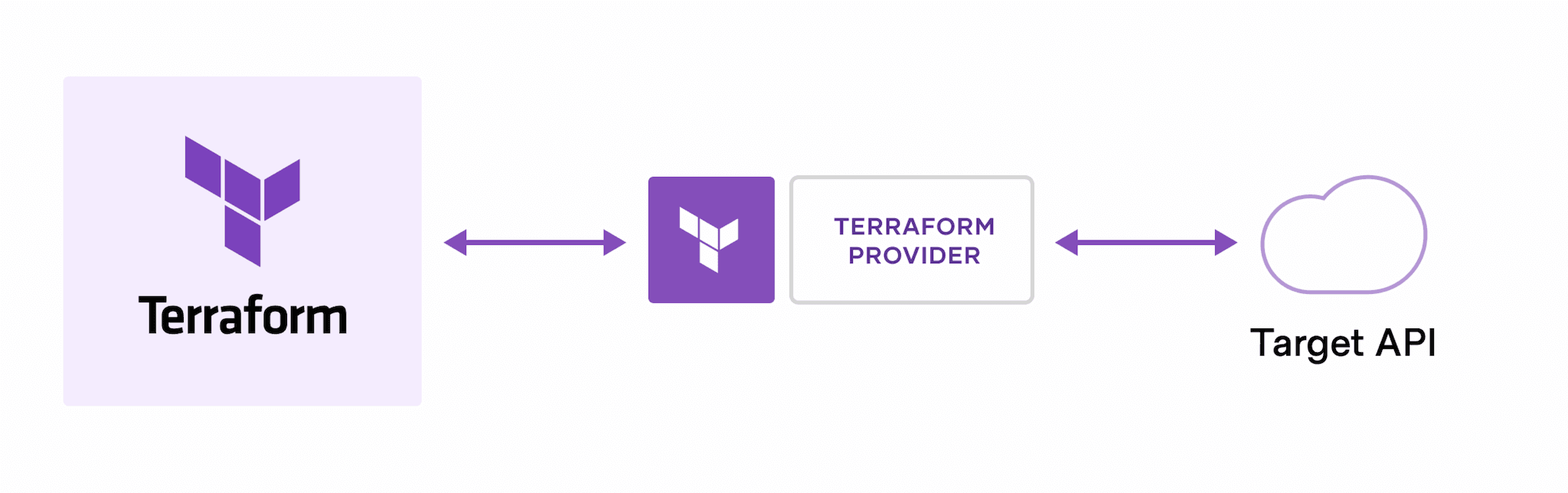
Each provider adds a set of resource types and/or data sources that Terraform can manage.
Every resource type is implemented by a provider; without providers, Terraform can’t manage any kind of infrastructure.
Most providers configure a specific infrastructure platform (either cloud or self-hosted).
Providers can also offer local utilities for tasks like generating random numbers for unique resource names.
How to find provider documentation
Use the provider source address in required_providers to find the matching entry in the Terraform Registry. Open the provider page, select Documentation, and then choose the resource or data source you are using. The page explains the arguments, required privileges, examples, and provider-specific limitations.
For this workshop, the relevant references are:
- AWS provider documentation
- AzureRM provider documentation
- Google provider documentation
- Snowflake provider documentation
Prefer the provider documentation over general Terraform documentation when checking a resource argument. Terraform documents the language and workflow; the provider documents what the target platform can create and which permissions it requires.
Terraform CLI
The Terraform CLI is the interface for inspecting configuration and state, creating plans, and applying approved changes. Its commands are introduced in the workflow chapter and collected in the CLI reference there.